Tomorrow marks the end of the StockDreams launch, and you’ll never see it again at this one-time price we’ve negotiated for you during Black Friday (use the code SOCIALANCERBF).
I promised to share our productivity tactics to save time when creating images.
On that note, I’m going to answer a question I’ve received from some of those already using StockDreams and show you how we stay much more efficient and effective with our image creation:
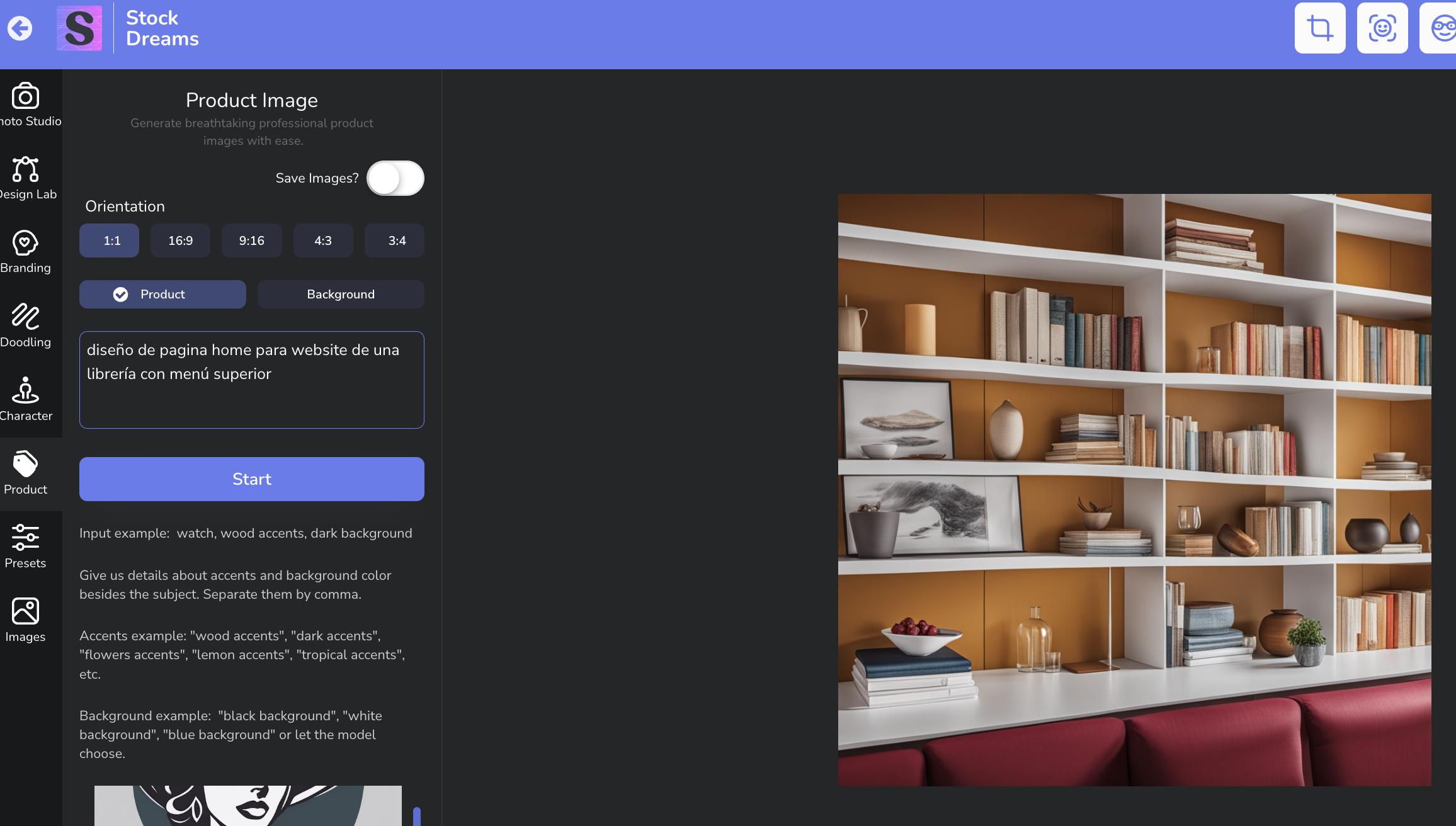
"Benet, your results are impressive—how do you do it?" Usually, our prompts for text generation are highly advanced. But when we started using StockDreams and working with image prompts, it was a completely different story. We couldn’t apply the same text strategies to the image concepts we had in mind. And on top of that, we couldn’t interact with the application in a way that made it understand us—or helped us express what we needed. That’s why my partner Beatriz and I set out to find a solution. We trained it extensively before making it available to you. It’s the best shortcut you’ll find to make AI work for you—without needing to learn the ins and outs of crafting the perfect image prompts, which is an entirely different skill set. This generator integrates seamlessly with ChatGPT (free or paid versions) and crafts prompts as if they were created by a professional designer. Imagine we want to create a homepage design for a bookstore website. We start by writing a generic prompt, and here’s what we get:
| |
This prompt was written without the Generator, just based on what came to mind.
And, as you can see, the result is nice but not quite what we expected...
However, when we use our Prompt Generator, here’s what we do:
1. We tell it what we want: "Homepage design for a bookstore website with a top menu" (the same thing I would have written as a prompt in StockDreams).
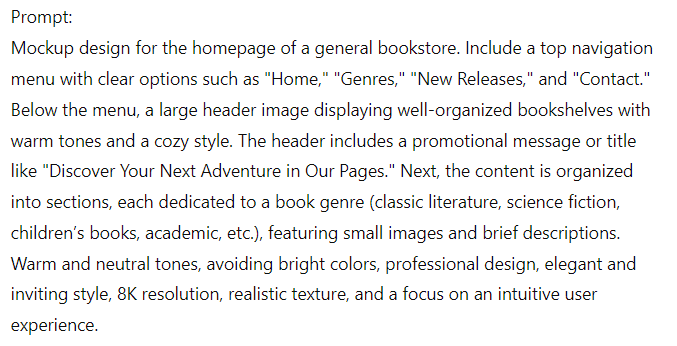
2. The Generator asks me a few questions and then creates the prompt for me:
| | And, along with that prompt, it generates a series of keywords to help the AI understand me even better.
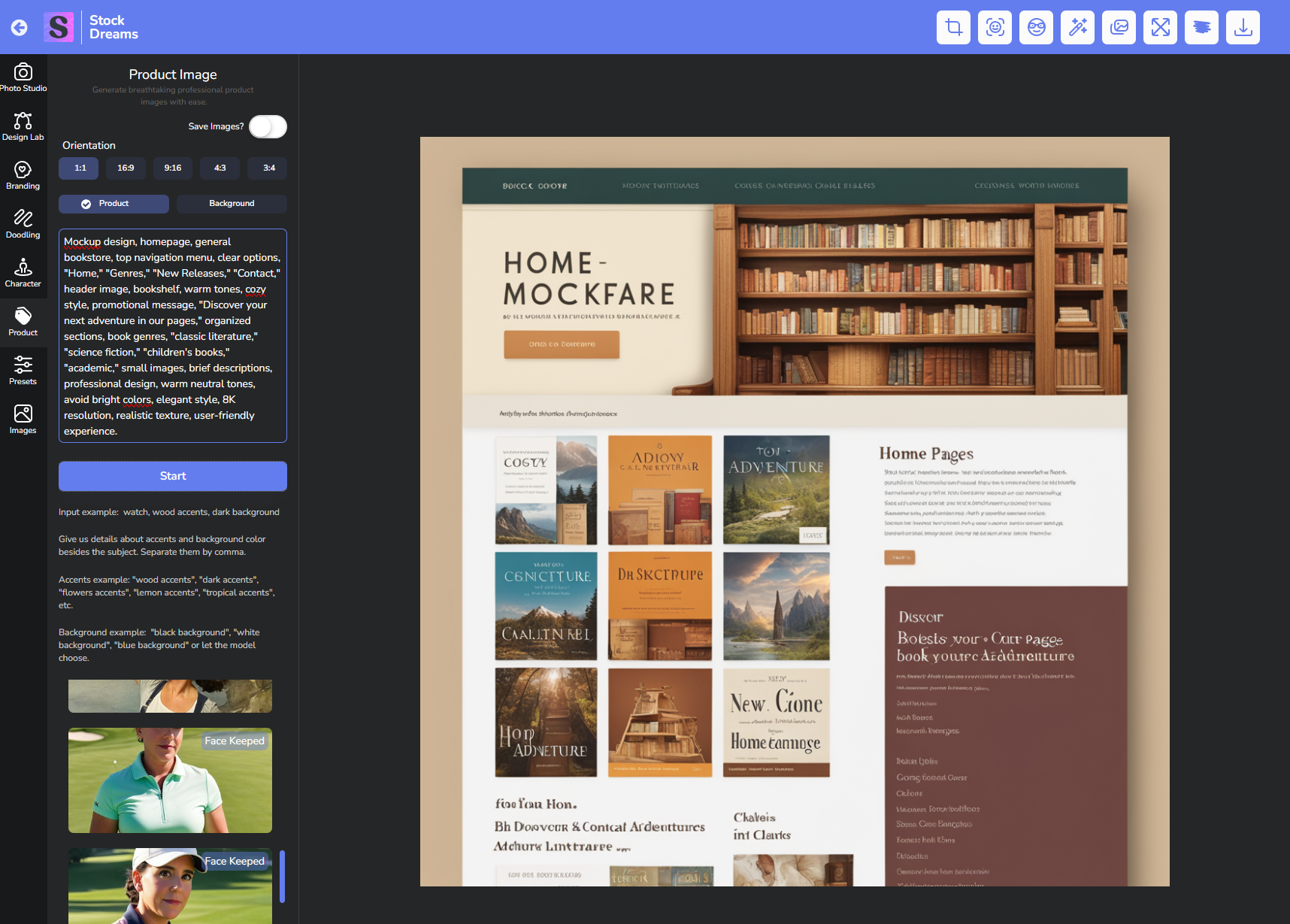
Voilà! The result:
| |
We now have a mockup ready for a webpage!
It’s true that we don’t always love the first result, which is why we use The Rule of 3:
We only hit the "Generate Image" button three times.
If, after the third attempt, it still doesn’t deliver what we want, we tweak the prompt within the Generator by adding what we want to appear but isn’t showing (as I explained in the demo at minute 37:19).
We usually get the results we want within these three generations. But if we still want something different, we change the prompt entirely.
Let me show you an example we're working on for tomorrow.
As I mentioned, tomorrow is the last day to access StockDreams with a 50% discount, one-time payment, and unlimited usage.
So, we need to create an urgent campaign (otherwise, you’ll miss it).
Here’s what we do:
| |
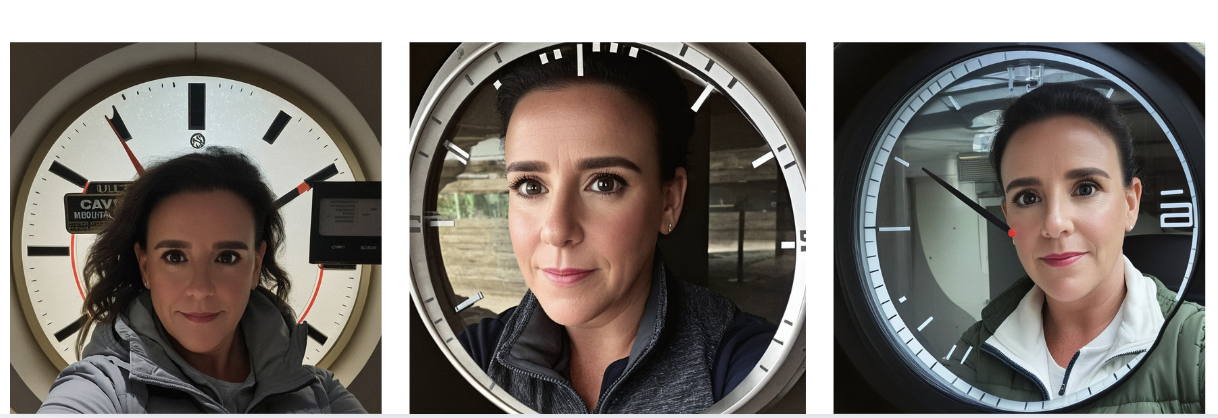
Since we don’t like the result much, we change the prompt and...
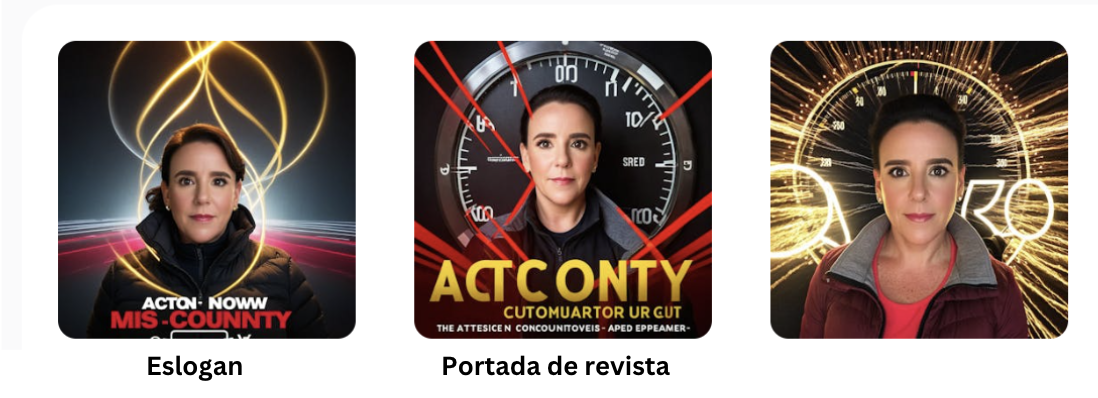
| |
I’m not sure if we’ll use that angle, but this time it gave us several ideas in an instant!
A slogan: "Act Now," and it even calls my partner "Miss Countdown." A magazine cover style (maybe "Time"?).
And that’s fantastic because now we already have fresh content from just a few images!
Now, we’ll just tweak the prompt a little, and tomorrow I'll show you the result. ;)
Our goal isn’t to make you addicted to StockDreams.
It’s to help you save time, be efficient, and achieve results with a tool we know will help you in the long run.
That’s why the best way to increase productivity in image creation is by using our "Rule of 3" and our Prompt Generator for StockDreams, available with the Pro Version of the software.
Not only will you save a lot of time, but you’ll also get better ideas and articulate more effectively what you want to transform into images.
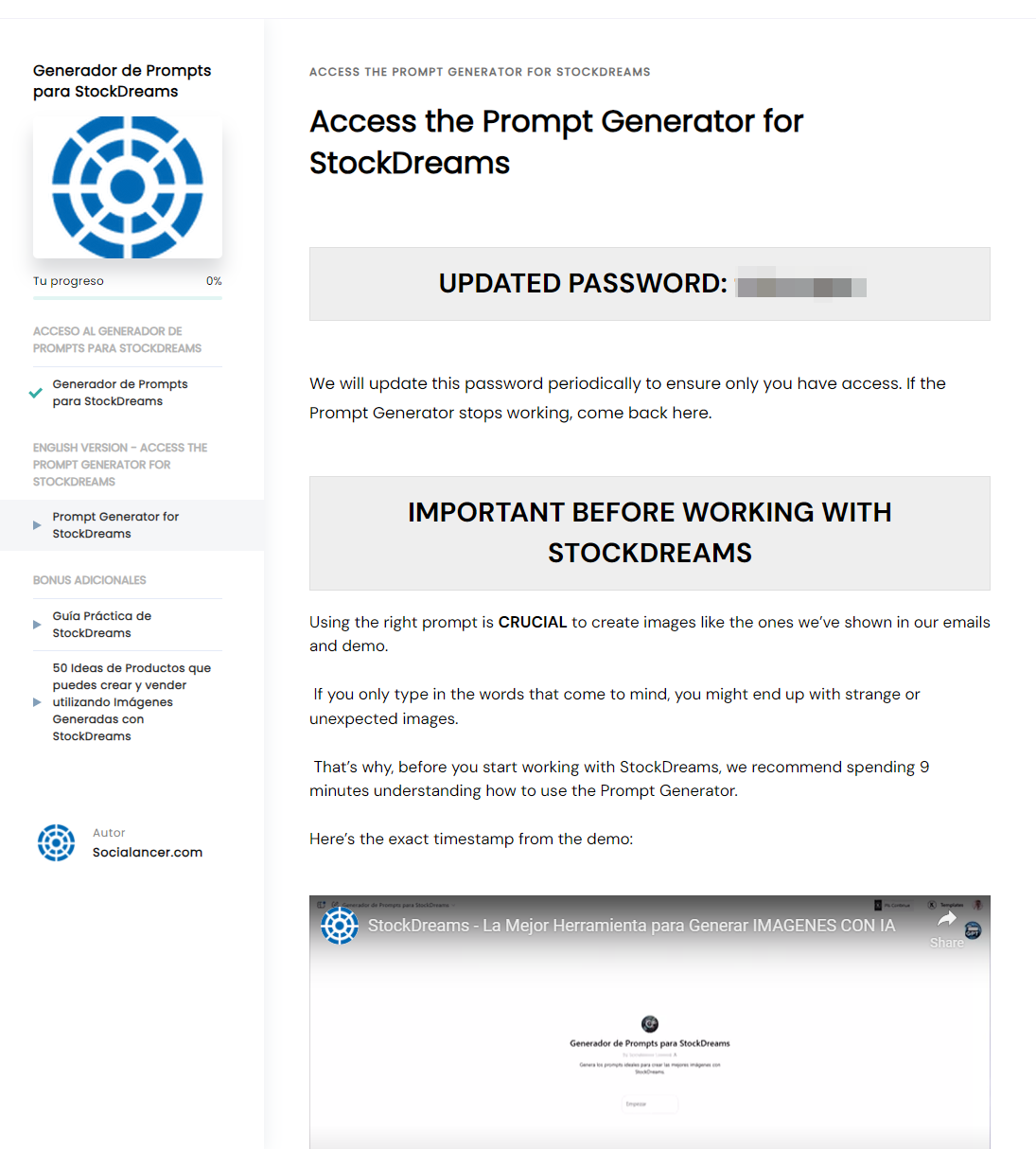
You’ll find everything explained in detail in our membership:
| | | Benet M. Marcos Socialancer.com 1ClickFollowup
P.D. StockDreams is now offering a one-time payment promotion with an additional 50% discount when you use the code SOCIALANCERBF, with no credit limits.
This means you can access all StockDreams features unlimitedly with a single payment, saving half the original price.
Check my review here.
Timestamps for the review:
0:01 – Overview made with StockDreams images 2:45 – What is StockDreams? Image Rights and Privacy 4:40 – Dashboard structure and our StockDreams testing process 6:30 – How the AI Image Generator works 18:42 – PRO elements of the Image Generator 24:10 – How I used my AI-generated face in marketing 31:16 – How the Socialancer-exclusive Prompt Generator for StockDreams works 41:00 – 15,000 images, 15,000 backgrounds, and the Image Editor 44:40 – AI-powered Banner Generator (saves editing time) 51:38 – How the StockDreams Agency Manager works 55:06 – Examples of images, niches, and uses created with the Socialancer Prompt Generator 1:04:05 – StockDreams pricing and which version is right for you
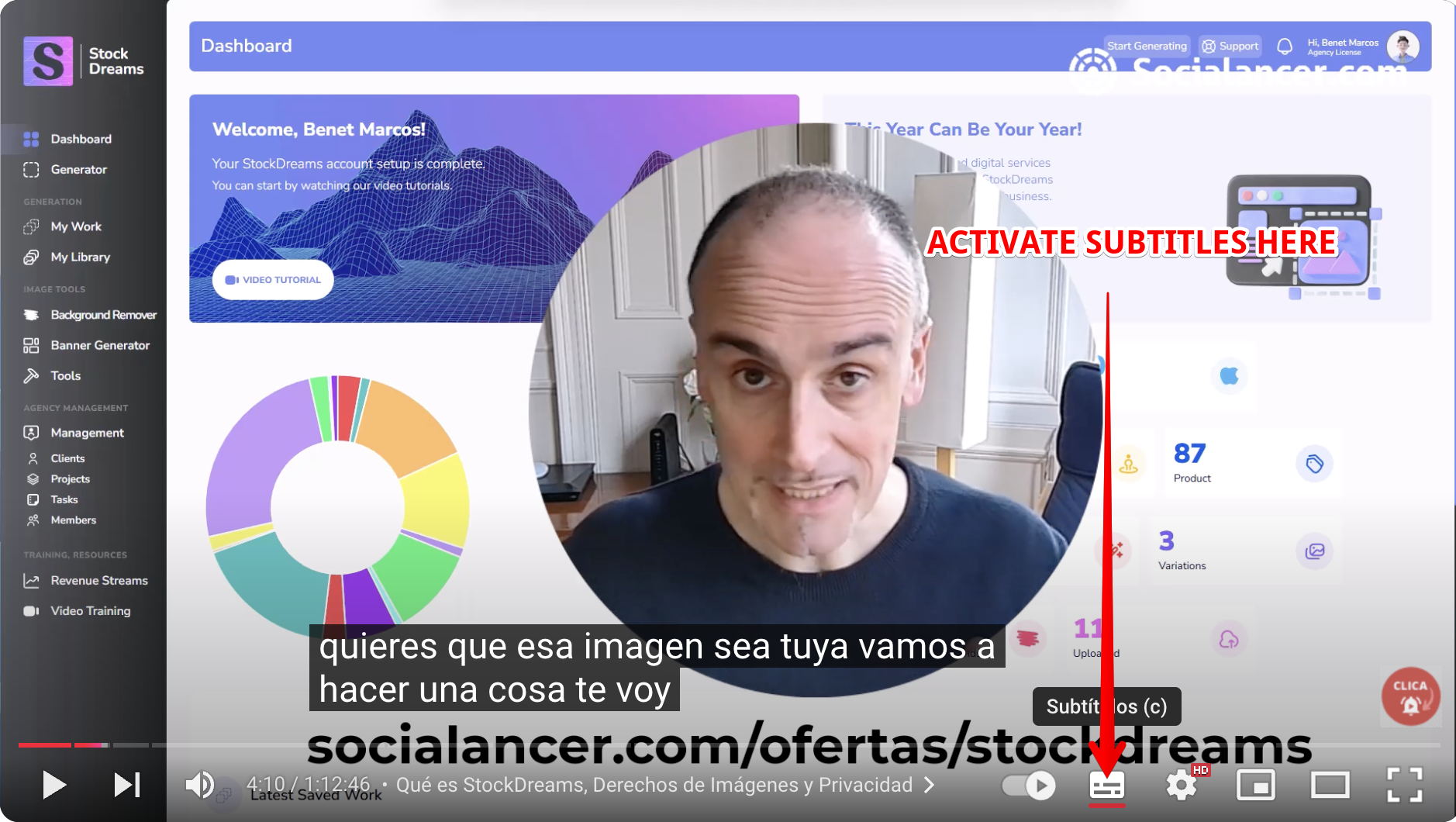
If you want to know how to add English subtitles to my review, follow these steps.
STEP 1: Activate Subtitles.
| |
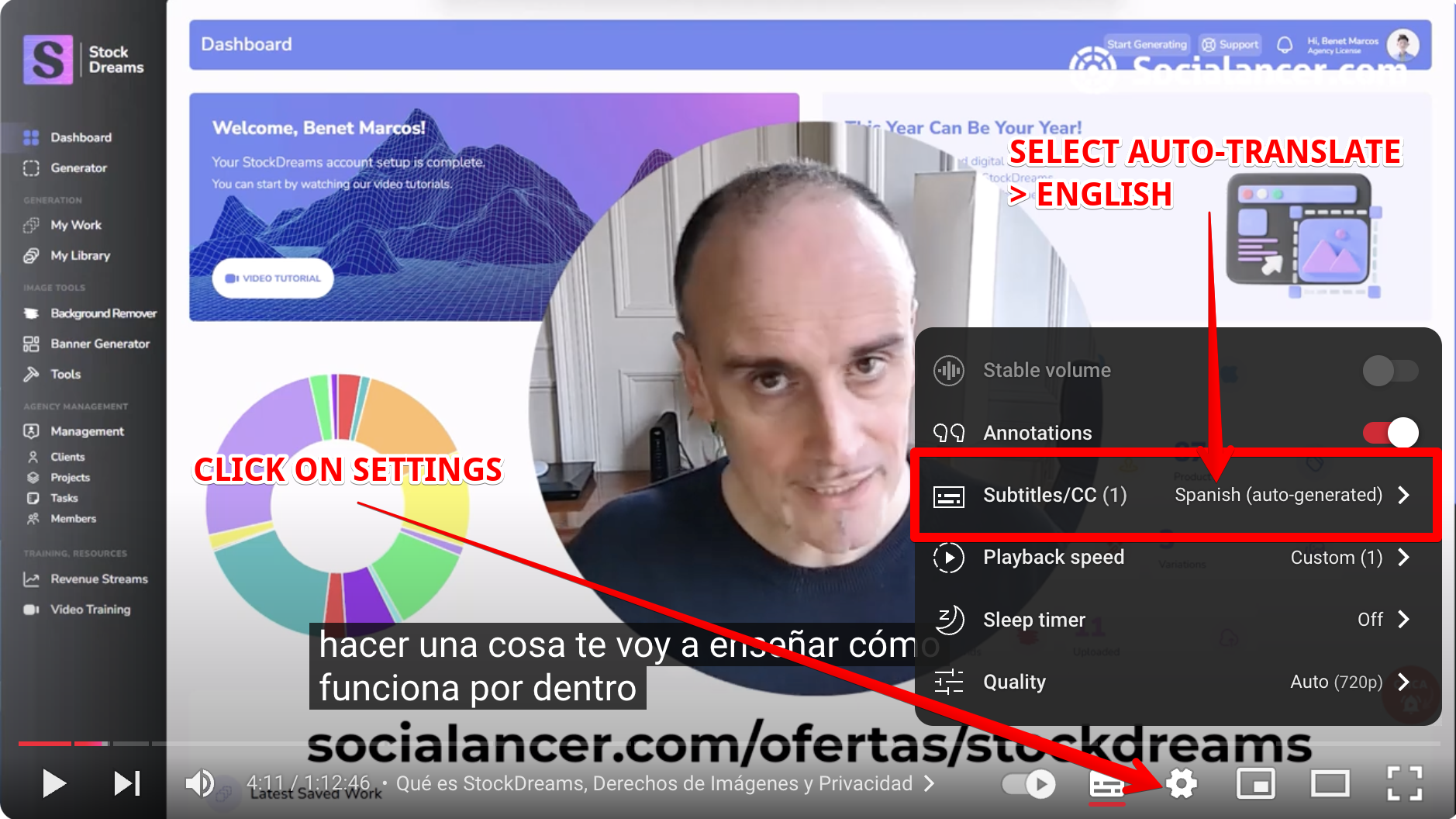
STEP 2: Click on Settings > Select Auto-Translate > English.
| |
And that's it! :)
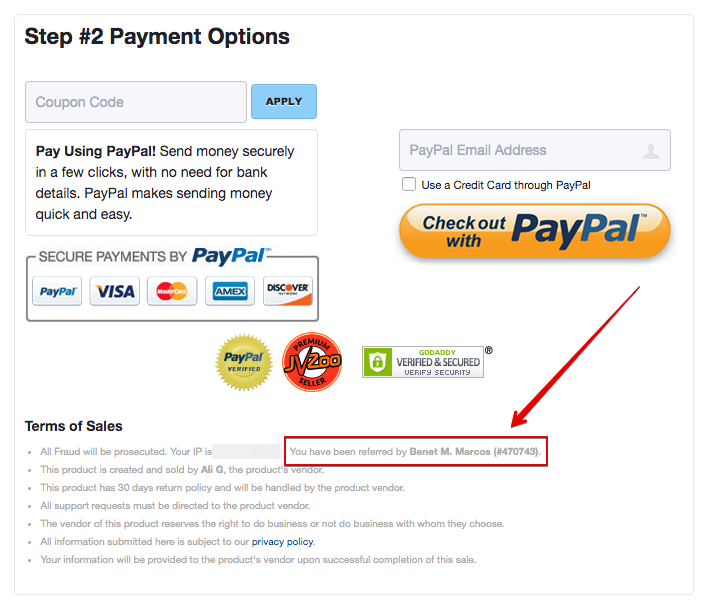
When you go to the payment page, make sure it says: "You have been referred by Benet M. Marcos (#470743)" to receive our bonuses, especially if you want our exclusive Prompt Generator.
Start with the Standard version (use the coupon SOCIALANCERBF for a 50% discount) and upgrade to PRO later.
| | | "En Socialancer negociamos las Mejores Oportunidades de Herramientas de Marketing y te las ofrecemos con Soporte en Español." | | Si no quieres recibir más emails sobre este tipo de contenido pero quieres continuar recibiendo otras ofertas de software y contenidos, pulsa aquí.
Si quieres darte de baja de nuestra lista, lo sentiremos mucho pero siempre puedes hacerlo libremente más abajo, en el pie de nuestros emails.
| De conformidad con el reglamento (UE) 2016/679 del Parlamento Europeo y del Consejo, de 27 de abril de 2016, relativo a la protección de las personas físicas en lo que respecta al tratamiento de datos personales y a la libre circulación de estos datos y por el que se deroga la Directiva 95/46/CE (Reglamento General de Protección de Datos o RGPD), te recordamos que tus datos son objeto de tratamiento por parte de Socialancer Limited. Estos datos son gestionados con la finalidad de informarte sobre contenidos y promociones relacionadas con las actividades de Socialancer. Recibes este correo porque nos has facilitado y/o cedido voluntariamente tu dirección electrónica. No obstante, puedes ejercer tus derechos de acceso, rectificación, limitación, supresión, portabilidad y oposición al tratamiento de tus datos enviando un email a editorial@socialancer.com. Dispones también del derecho a presentar una reclamación ante una autoridad de control. Recuerda que todos tus datos serán tratados con la máxima confidencialidad según el RGPD. |
|
|